At a glance, Scan to Email and Scan to Fax may seem like the same feature. Scan to Email sends your document over the internet as a digital file, usually a PDF, directly to an email inbox. Scan to Fax, on the other hand, sends your document through a fax network by converting it into a format that a fax machine or fax service can receive.
So, what's the difference if you just scan a document, press send, and it reaches the recipient? The key difference is just how the document is transmitted and received.
This difference actually affects speed, cost, security, and how your business communicates. Read on to choose the right method for each situation.
An Overview: Scan to Email vs. Scan to Fax
In a hurry? Here's a table below that provides a side-by-side comparison of Scan to Email and Scan to Fax.
What Is Scan to Email?
Scan to Email is a feature on modern multifunction printers that allows businesses to digitize a physical document and send it instantly via email. This functionality turns paper documents into electronic files, usually PDFs or high-quality images, and delivers them directly to the recipient’s inbox.
For businesses, this feature streamlines communication and reduces reliance on physical paperwork.
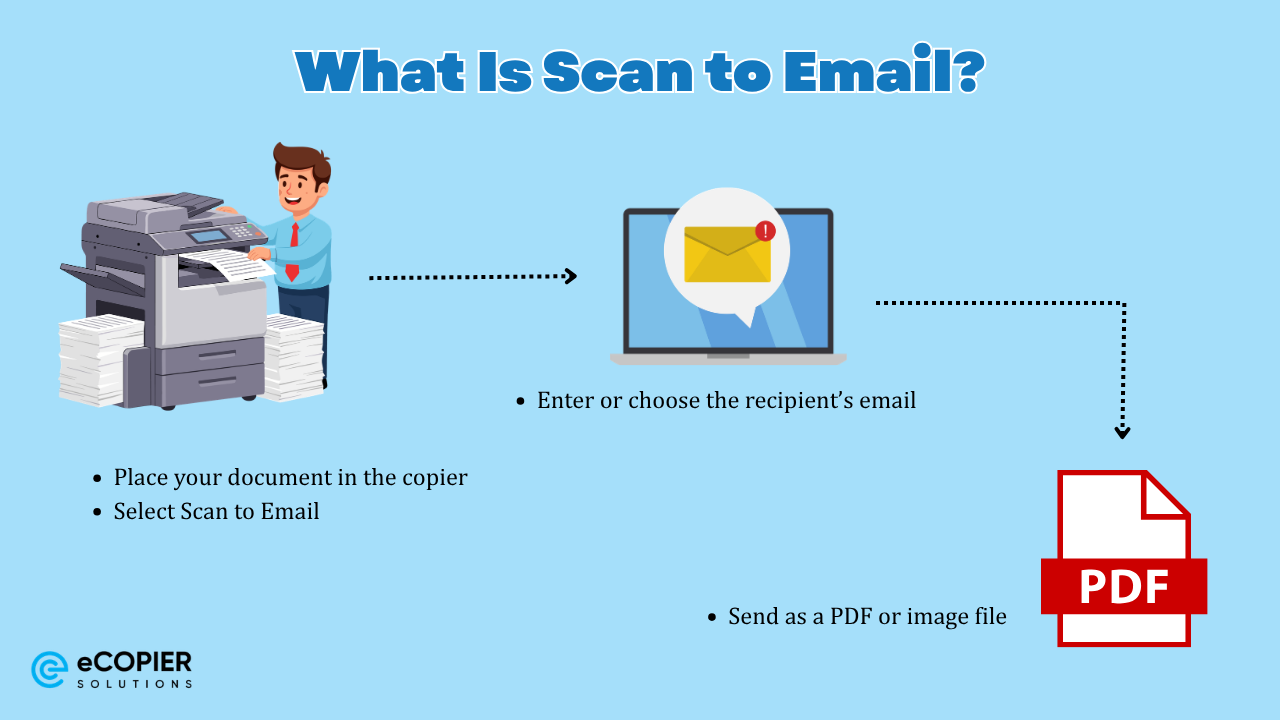
How It Works
- Place your document in the copier
- Select Scan to Email
- Enter or choose the recipient’s email
- Send as a PDF or image file
Why Businesses Use It
- Fast delivery: Documents arrive in seconds, which improves response times.
- Lower costs: No phone lines or fax-related expenses.
- Better organization: Files are easy to store, search, and share.
- Supports modern workflows. Works with cloud storage and remote teams.
- High-quality output preserves formatting, color, and detail.
What Is Scan to Fax?
Scan to Fax allows you to send scanned documents through a fax system, which can include traditional phone lines or modern digital fax services.
A Brief History of Faxing
Fax technology has been around for decades, long before email became standard in business communication. It gained widespread use in the 1980s and 1990s, when offices relied on dedicated fax machines connected to telephone lines.
At the time, faxing was one of the fastest ways to send documents over long distances. Businesses used it daily for contracts, purchase orders, and official communications.
Over time, email and cloud sharing replaced many of these functions. However, fax never fully disappeared.
How Scan to Fax Works Today
Modern Scan to Fax no longer depends on bulky standalone machines in many offices.
Instead, today’s systems work in two main ways:
- Multifunction printers (MFPs) scan the document and transmit it through a connected fax line or digital fax service
- Cloud-based fax services convert scanned files into fax signals and deliver them over secure networks
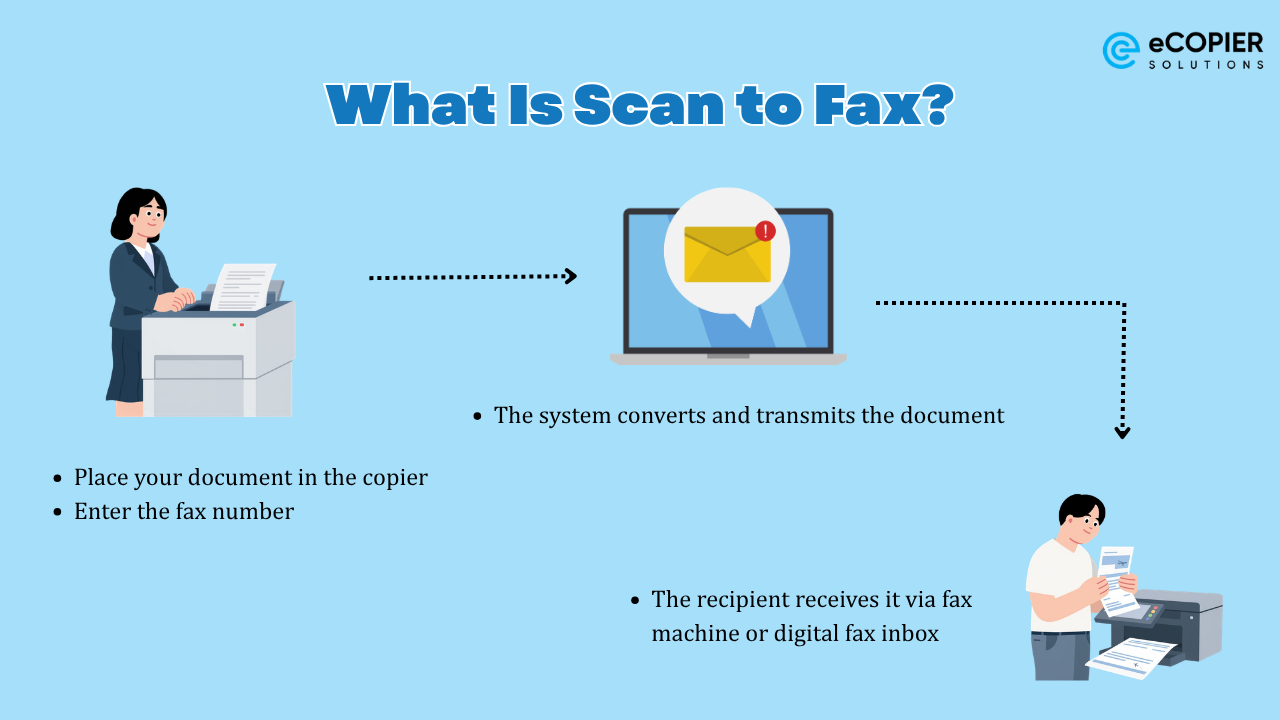
The process is simple:
- Scan the document
- Enter the fax number
- The system converts and transmits the document
- The recipient receives it via fax machine or digital fax inbox
Why Businesses Still Use Scan to Fax
People and businesses still use Scan to Fax, particularly in healthcare, legal, finance, and government sectors, as a secure and legally recognized method for transmitting documents.
While physical fax machines are less common, faxing has evolved into multifunction scanners and cloud-based services that allow users to send documents without dedicated hardware.
Here is why it remains relevant:
- Compliance requirements: Certain industries require fax for regulatory reasons.
- Legal recognition: Faxed documents are often accepted as official records.
- Secure transmission: Many organizations trust fax for sensitive information.
- Compatibility: Some institutions still rely on fax-based workflows.
Which One Should Your Business Use?
For most businesses, the answer is not one or the other. It is both, used strategically.
Use Scan to Email for:
- Daily communication
- Client interactions
- Internal document sharing
- Digital record keeping
Use Scan to Fax for:
- Compliance-driven industries
- Legal and medical documentation
- Government submissions
- Working with fax-dependent partners
The Smart Approach for Modern Offices
Most businesses today rely heavily on Scan to Email for speed and efficiency while keeping Scan to Fax available for specific requirements.
Fax usage has declined compared to previous decades, but it still plays an important role in industries that depend on secure and standardized document transmission.
Features to Look for in a Business Copier
To support both workflows, your copier should include:
- Built-in Scan to Email functionality
- Integrated or cloud-based fax capability
- Secure sending options
- Cloud storage integration
- User-friendly interface
Choosing the right device ensures your team can handle both modern and legacy communication needs without disruption.
Final Thoughts
The difference between Scan to Email and Scan to Fax comes down to how documents are sent and why they are used.
- Scan to Email supports fast, modern, and cost-effective communication
- Scan to Fax supports compliance, security, and legacy systems
Understanding when to use each option helps your business stay efficient while meeting industry requirements.
Need Help Upgrading Your Office Equipment?
If your current setup slows down your workflow or lacks key features, it may be time for an upgrade.
Visit eCopierSolutions to explore copier solutions designed for modern businesses. A quick consultation can help you find the right balance between speed, cost, and compliance.




.webp)

.png)