
If you’ve ever printed a clean, sharp document in seconds, you’ve already seen a laser printer at its best. Unlike inkjet printers that rely on liquid ink, laser printers use heat, static electricity, and fine powder to produce fast, precise results.
Understanding how a laser printer works helps you choose the right machine, maintain it properly, and get consistent performance at home.
Overview: How a Laser Printer Works
This section breaks down the laser printing process into simple steps, showing how a digital file is transformed into a physical print.
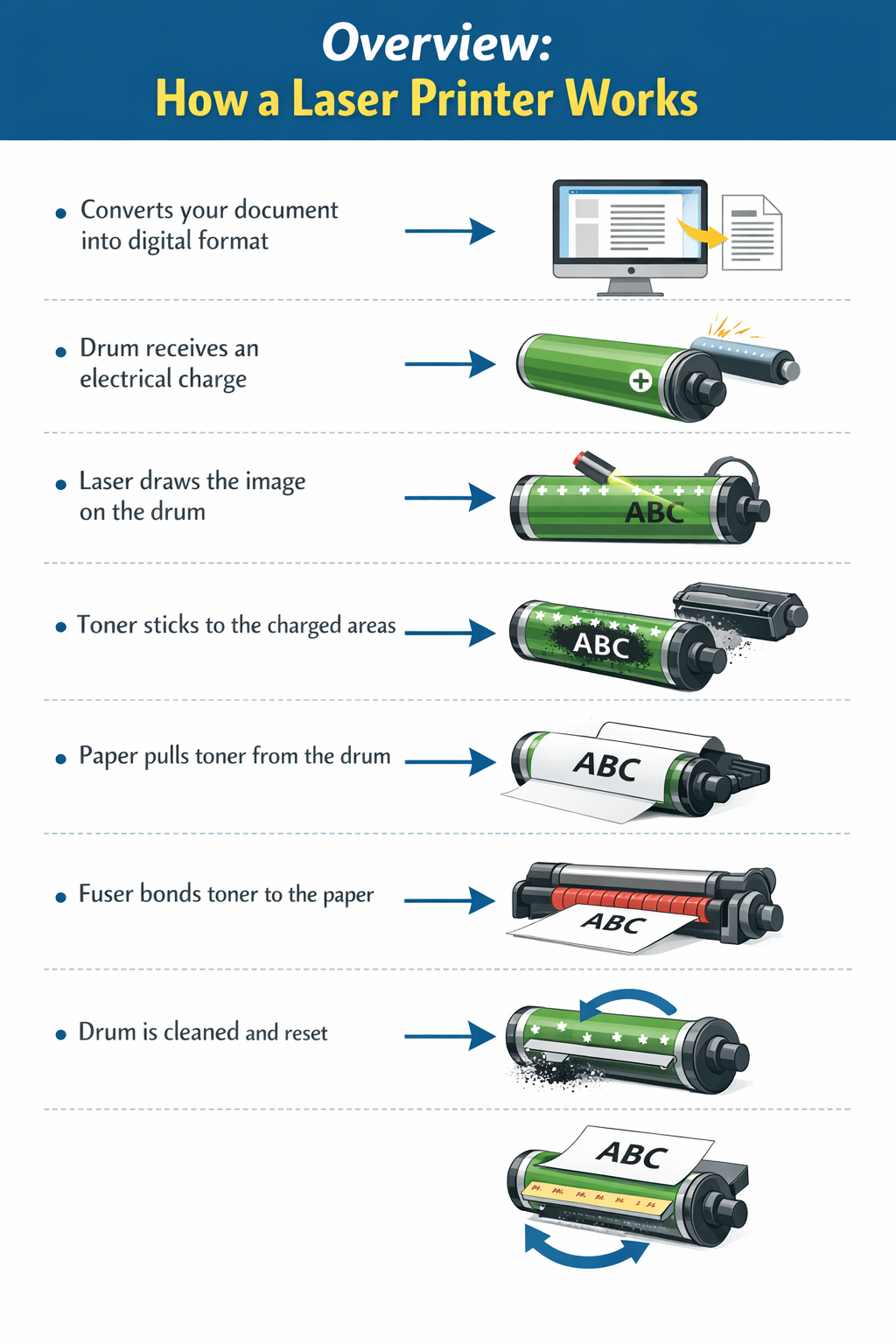
- The printer converts your document into a digital format it can process
- A photoreceptor drum receives an electrical charge to prepare for image formation
- A laser beam scans the drum and removes charge in specific areas to create the image pattern
- Toner particles stick to the charged areas on the drum, forming the printed image
- Paper passes through the printer and pulls the toner from the drum onto its surface
- The fuser unit uses heat and pressure to permanently bond the toner to the paper
- The drum is cleaned and reset, ready for the next print job
That is just an overview, but let's take a deeper dive so you can be more informed for more information.
What Is a Laser Printer?
A laser printer uses a laser beam to create an image on a rotating drum, then transfers that image onto paper using toner. Toner is a fine powder that gets fused to the page using heat and pressure.
This process delivers:
- Fast print speeds
- Sharp, professional text
- Smudge-free results
- Lower cost per page over time
For homeowners who print often, laser printers offer reliability and efficiency.
Step by Step: How a Laser Printer Works
Laser printing happens in a fraction of a second, but several steps take place inside the machine.
1. The Printer Processes Your Document
When you click print, the printer converts your file into a format it understands. This creates a digital blueprint of the page.
2. The Drum Gets an Electrical Charge
The photoreceptor drum receives a uniform electrical charge. This charge sets the stage for forming the image.
3. The Laser Draws the Image
The laser beam scans across the drum and removes charge in specific areas. These areas form the pattern of your document.
Think of this as drawing your page using static electricity.
4. Toner Sticks to the Image
The toner particles are attracted to the areas where the charge was altered.
Only the parts of the drum that match your document pick up toner, creating a visible image.
5. The Image Transfers to Paper
Paper passes through the printer and receives a stronger charge than the drum.
This pulls the toner off the drum and onto the paper in the exact shape of your document.
6. Heat Fuses the Toner
The paper moves through the fuser unit, where heat and pressure melt the toner and bond it to the paper fibers.
This is why laser prints come out dry and ready to handle.
7. The Drum Resets for the Next Job
Any leftover toner is cleaned off the drum, and the electrical charge resets. The printer is now ready for the next page.
Key Components of a Laser Printer
Before diving into the process, it helps to understand the main parts working behind the scenes.
Laser Assembly
The laser draws the image onto the drum using precise light patterns.
Photoreceptor Drum
A rotating cylinder that holds an electrical charge and attracts toner.
Toner Cartridge
Contains the powder used to create text and images. Most printers use black toner, while color models use CMYK toner.
Transfer Roller
Moves the toner from the drum onto the paper.
Fuser Unit
Applies heat and pressure to permanently bond toner to the paper.
Paper Feed System
Rollers guide the paper through the printer smoothly.
Why Laser Printers Are So Efficient
Laser printers are built for speed, consistency, and long-term value. Instead of printing line by line, they process an entire page at once, which keeps performance fast and reliable even for larger jobs.
Speed
Most laser printers produce 20 to 50 pages per minute. Since they print full pages in one pass, you get faster output and less waiting time, especially for multi-page documents.
Precision
Laser technology has a great imaging process which creates sharp, clean text with defined edges. Toner does not bleed into the paper, making it ideal for documents, small fonts, and professional materials.
Cost Savings
Toner cartridges last longer than ink, which lowers the cost per page over time. You also replace cartridges less often, which adds convenience.
Durability
Heat fuses toner into the paper, so prints come out dry and resistant to smudging or fading. This makes them reliable for documents you need to keep or handle often.
These advantages make laser printers a practical choice for homeowners who print regularly and want consistent results.
Laser Printer vs Inkjet Printer
Choosing between laser and inkjet depends on your needs.
Choose a Laser Printer If You:
- Print frequently
- Need fast output
- Focus on digital data that turns into text documents
- Want long-term savings
Choose an Inkjet Printer If You:
- Print photos or graphics
- Print occasionally
- Need vibrant color detail
Maintenance Tips for Homeowners
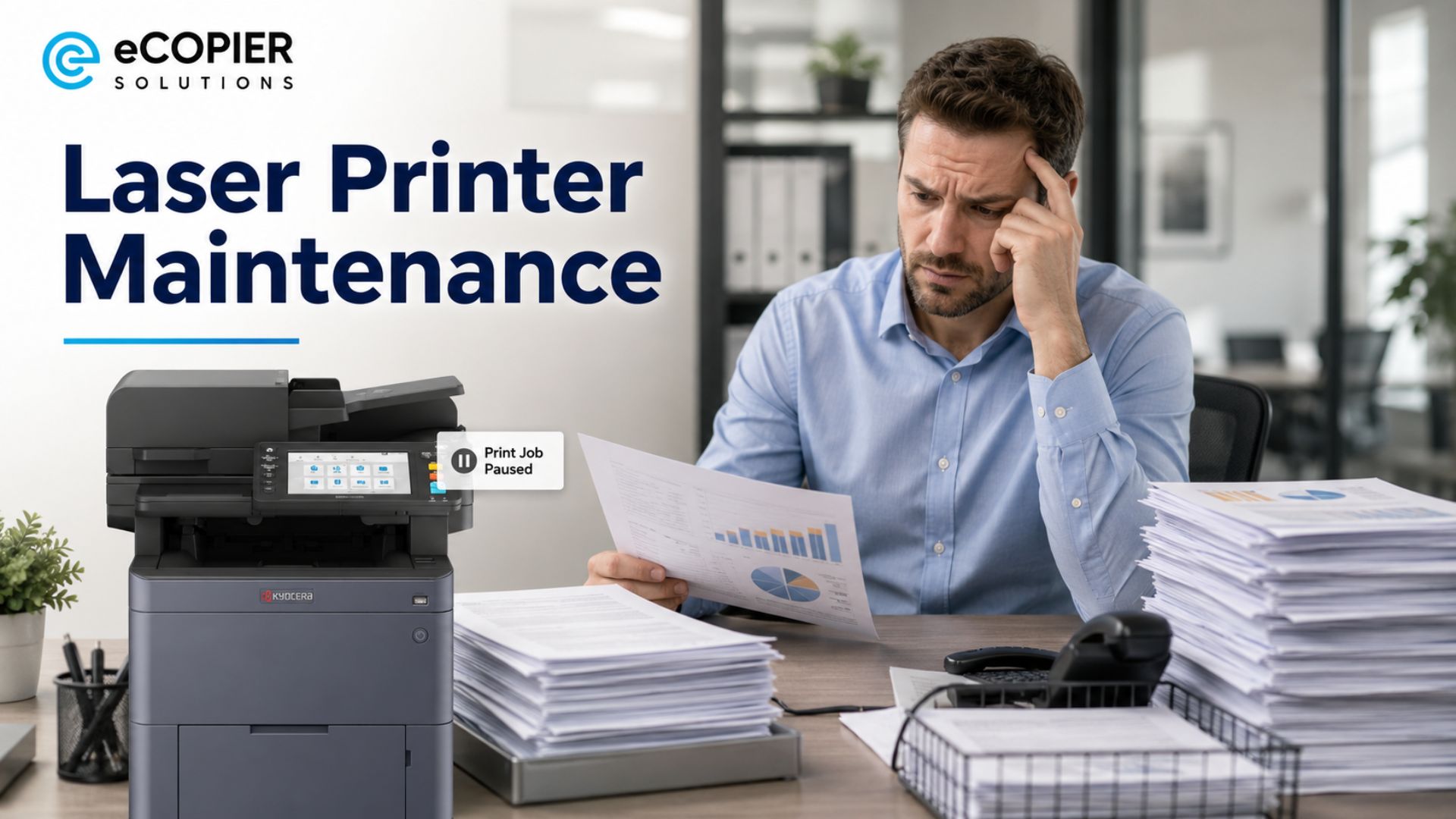
Laser printers are low maintenance, but a few habits can keep them running smoothly.
- Keep the interior clean to prevent dust and toner buildup that can affect print quality
- Use quality paper to avoid jams and uneven printing results
- Replace toner when prints start to fade or look inconsistent
- Print regularly to keep internal components working smoothly
What to Consider Before Buying a Laser Printer
Before choosing a model, think about how you plan to use it.
Monochrome vs Color
Black and white printers are faster and more affordable. Color printers are better for graphics.
Print Speed
Look for pages per minute if you print in high volumes.
Print Quality
Higher resolution improves sharpness, especially for small text.
Connectivity
WiFi, mobile printing, and Ethernet can make printing more convenient.
Paper Handling
Features like larger trays and duplex printing save time.
Why a Laser Printer Is Worth It
Laser printers combine precision, static electricity, and heat to deliver fast, reliable results. The process may be complex behind the scenes, but the outcome is simple: sharp, consistent prints every time.
If you print regularly and want dependable performance without constant maintenance, a laser printer is a practical choice. To explore trusted options and learn more, visit eCopier Solutions.





.webp)

.png)


