

Searching for laser printer maintenance usually means something already feels off. Maybe your printer keeps jamming, pages have streaks, prints look faded, toner dust is showing up, or the overall print quality is slowly dropping.
For a business, those small issues can turn into missed invoices, delayed paperwork, and extra downtime. The good news is that maintenance is usually about prevention. It means safe cleaning, basic inspection, timely replacement of worn parts, and knowing when a problem has moved past DIY care.
In this guide, the eCopier team will walk you through what to clean, how often to check the printer, which parts matter, and when to call for service.
Let’s get started!
What Does Laser Printer Maintenance Include?
Laser printer maintenance includes cleaning the paper path, checking rollers, using the right paper and toner, watching for worn parts, running maintenance cycles, and responding to early warning signs.
If you didn’t notice already, it is not only about wiping dust off the outside of the machine. Wish it were.
Laser printers use toner powder rather than liquid ink. That means maintenance needs to focus on toner buildup, paper dust, rollers, drums, fusers, transfer systems, and printer settings. A clean machine with the wrong paper or a worn roller can still cause problems.
But toner should be handled with common sense rather than fear. A 10-year worker study followed 1,468 workers, including 887 toner-handling workers and 581 non-toner-handling workers. It found that toner handling was not associated with respiratory decline or increased biomarkers in a well-managed workplace.
That is the key phrase here: well-managed workplace. A clean machine with the wrong paper, loose toner, poor ventilation, or a worn roller can still cause problems, even non-work-related ones!
So, when thinking about how to maintain a laser printer, look at the full printing process. Clean the areas you can safely access, use the right supplies, and pay attention when print quality starts to change.
Why Laser Printer Problems Usually Start Small
Most laser printer problems start as small issues before they become expensive or disruptive. A little paper dust in the tray, toner buildup near the cartridge, worn rollers, low-quality supplies, or a faint line on the page may not seem urgent at first.
But those small signs are worth watching. Faint prints, paper jams, smudges, repeated error messages, strange noises, and slower printing can all point to something that needs attention. Ignoring them can lead to downtime, damaged parts, service calls, or business documents that do not look professional.
How Laser Printers Work and Why That Matters for Maintenance
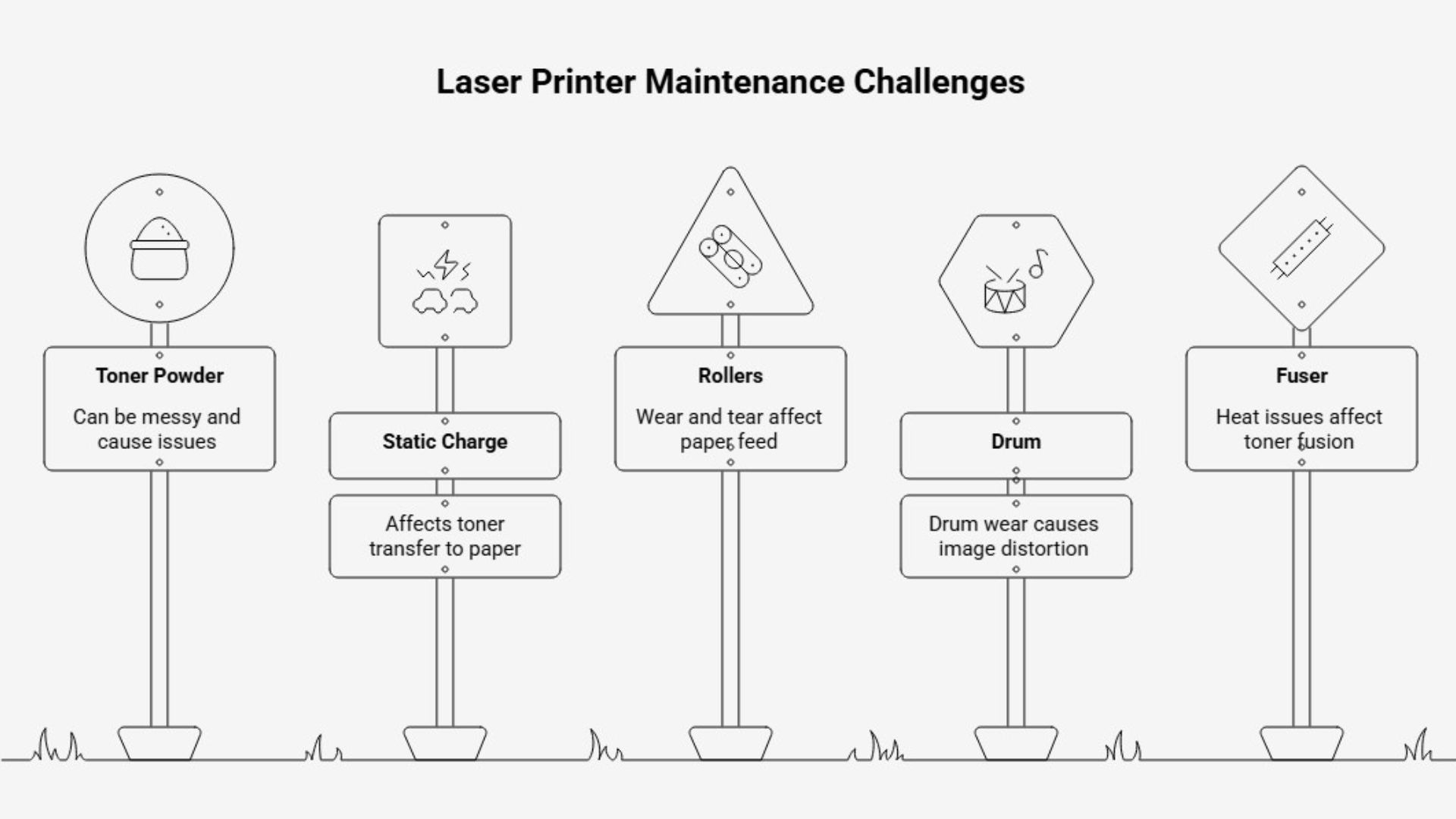
Learning how laser printers work makes maintenance easier to understand. A laser printer uses toner powder, static charge, rollers, drums, and heat to create the final printed page. The toner is transferred onto the paper, then fused with heat so it stays in place.
That is why maintenance is different from inkjet printer care. Dust, loose toner, wrong paper, worn rollers, drum wear, and fuser issues can all affect the final page. If one part of the process is dirty or worn, the output can show it quickly through streaks, smudges, ghosting, or paper jams.
Laser Printer Maintenance Checklist: What to Clean, Check, and Watch
Okay, now let’s break it down further. A good checklist keeps maintenance from becoming random. It also helps your team catch laser printer common problems before they interrupt a busy day.
These are the main steps to follow:
- Turn off and unplug the printer before cleaning.
- Let the fuser area cool before touching internal areas.
- Remove loose paper dust from trays and the paper path.
- Wipe the exterior with a soft cloth.
- Clean rollers carefully with a lightly damp lint-free cloth.
- Check for toner leaks or loose toner inside the machine.
- Use the correct paper type and keep the paper dry.
- Run the printer’s cleaning or calibration cycle if available.
- Print a test page after maintenance.
- Track repeated issues instead of resetting and ignoring them.
Printer placement should also be part of the checklist, especially in busy offices.
One study found that peak exposure at 1 meter was more than 5× local background levels for 11 printers, 4x for one printer, 3x for two printers, and 1-2x for eight printers. So, if one printer handles most of your office’s daily workload, it is better to keep it in a clean, well-ventilated area instead of placing it right beside someone’s desk.
Hence, do not rush the cleaning process. The inside of a laser printer can include hot or sensitive parts, so basic maintenance should stay simple and safe. Avoid aggressive scrubbing, wet cloths inside the machine, or touching parts the manual says to leave alone.
If the issue looks mechanical, it is better to stop and get support.
How Often Should You Clean and Maintain a Laser Printer?
You should clean and maintain a laser printer based on how frequently it is used, how much it prints, and how important it is to daily work. A home office printer does not need the same routine as a high-volume business machine.
The goal is to prevent avoidable downtime. A routine can also help reduce laser printer maintenance costs because small checks may prevent avoidable service calls or part damage.
Here are the basic maintenance schedules you should consider:
How to Diagnose Laser Printer Problems Before They Get Worse
Not every printer issue needs a repair call right away. Sometimes the printer is telling you exactly where to look first. A simple pattern can help your team diagnose laser printer problems without guessing.
These are the signs worth checking:
The key is to look for repeat behavior. A single smudge may come from one bad sheet or a toner spill. Repeating smudges in the same place usually means something else is happening. If the same issue returns after basic cleaning, professional service may be the better move.
Common Part Issues That Affect Print Quality
Some print quality issues come from buildup, but others come from parts that are wearing out. That distinction matters because cleaning harder is not always the answer. In fact, aggressive cleaning can create more problems if the issue is inside a sensitive component.
These are the main parts you should understand:
Fuser Problems
The fuser uses heat to bond toner to the page. When it works properly, the printed text or image should stay clean and sharp. Laser printer fuser problems may show up as toner that rubs off, smears, wrinkled pages, repeated marks, or unusual heat-related issues.
If you see these signs, do not keep running large print jobs and hoping it clears itself. The fuser can be a technical part to inspect or replace, so this is usually a good time to involve a technician.
Transfer Belt Problems
The transfer belt or transfer system helps move the toner image onto the paper. Laser printer transfer belt problems may show up as color misalignment, uneven print quality, repeating marks, faded areas, or strange changes across the page.
This is especially important for color laser printers and multifunction devices. If color output matters for client-facing documents, proposals, charts, or marketing materials, transfer problems can make the whole document look unprofessional.
Defects That Need More Than Cleaning
Some laser printer defects are not really cleaning problems. Lines, bands, repeating dots, ghosting, missing areas, or marks that appear in the same place can point to worn rollers, drum issues, fuser trouble, or transfer system problems.
Our advice is simple: clean once, test once, then watch the pattern. If the issue stays the same after basic maintenance, stop treating it like dust. That is when repair support can save time and protect the equipment.
How Long Do Laser Printers Last With Proper Maintenance?
Laser printers can last much longer with proper maintenance.
But the real lifespan depends on print volume, model quality, environment, supplies, service support, and how the machine is used. A well-maintained business printer usually stays more reliable than one that is overloaded, ignored, or used with poor supplies.
So, how long do laser printers last in a business setting? There is no single number that applies to every office. A small team that prints lightly will put less strain on the machine than a busy office that prints contracts, invoices, forms, and reports all day.
Watch page counts, recurring repairs, toner costs, parts availability, and downtime. If the printer keeps needing attention, the bigger question may be whether your team needs better service support or a more suitable device.
Make Laser Printer Maintenance Easier With eCopier Solutions
Laser printer maintenance can be handled in-house at a basic level, but many businesses do not want printer problems to become another internal project.
That is where eCopier Solutions can help.
We help businesses keep printing simple with printer and copier leasing, service, toner, maintenance, remote repairs, and support under one roof. For business owners, that matters because buying equipment is only one part of the cost.
After all, service, toner, shipping, downtime, replacement parts, and support can become frustrating when they are handled separately.
eCopier Solutions offers free unlimited toner, free service, free shipping, and no price increases. Businesses also get 24/7 customer service, a 4-hour service response time, remote repairs and management, nationwide support, and Kyocera authorized dealer expertise.
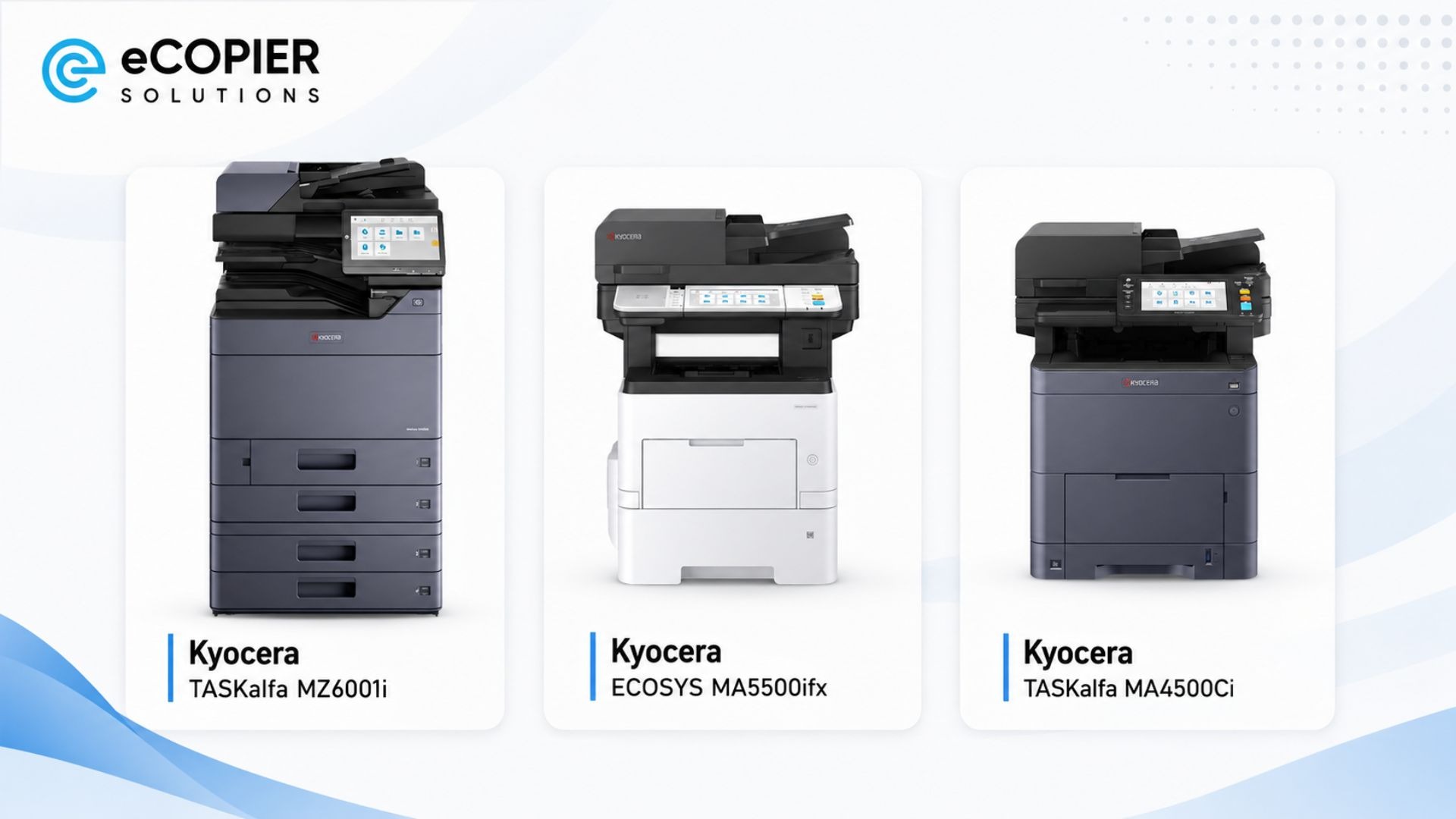
Office-grade models such as the Kyocera TASKalfa MZ6001i, Kyocera ECOSYS MA5500ifx, and Kyocera TASKalfa MA4500Ci are examples of the type of equipment businesses may use when they need reliable daily printing.
If your team wants less internal printer management, eCopier Solutions can help keep equipment, toner, service, and support together so printing stays clean, reliable, and ready.
Contact us today to learn more!
FAQs
Do Laser Printers Require Maintenance?
Yes, laser printers require maintenance because toner residue, paper dust, and worn consumables can affect print quality and reliability. Printers with higher print volume or dusty office conditions usually need more frequent cleaning and earlier issue checks.
What Maintenance Is Typically Needed for a Laser Printer?
Laser printer maintenance typically includes cleaning accessible areas, replacing toner or drum units, checking rollers, and watching for early print-quality problems. You can use the printer manual before removing parts because maintenance needs rise with volume, dust, and model design.
What Is the Average Life of a Laser Printer?
The average life of a laser printer usually ranges from several years to much longer, depending on the model and workload. Print volume, maintenance habits, toner quality, and replacement-part availability can all extend or shorten its useful life.
How to Take Care of a Laser Printer?
To take care of a laser printer, keep it clean, use the right paper and toner, replace consumables on time, and respond early to print-quality changes. Start today by checking trays, paper paths, and visible toner dust safely.
.jpg)








.webp)

.png)


