Buying an office printer sounds simple until the product pages start throwing around imaging terms, print speeds, duty cycles, and toner yields. Most businesses just want dependable equipment that fits the budget and keeps work moving.
LED models can have simpler internal construction, while laser options are easier to find across the US. Here, we’ll compare how both work, along with quality, speed, cost, reliability, size, and business fit.
What Is an LED Printer?
An LED printer is a toner-based device that uses a fixed row of light-emitting diodes to create an image on a photosensitive drum. The diodes expose selected points across the drum, and toner sticks to the charged image. The drum then transfers the toner to the paper, and a heated fuser bonds the powder to the page.
LED and laser systems are more similar than many buyers expect. Both use electrophotographic printing and powdered toner, so an LED model is much closer to a laser device than an inkjet printer. Its fixed exposure array can support a more compact build, quieter operation, and fewer moving parts inside the imaging system.
What Is a Laser Printer?
A laser printer is a toner-based device that uses a focused laser beam, mirrors, and optical parts to create an electrostatic image on a photosensitive drum. The drum receives an electrical charge first. The laser then exposes selected areas, toner attaches to those areas, and the sheet moves through a heated fuser.
Pro tip: You can read our guide on how a laser printer works for a closer look at the drum, toner, transfer, and fusing stages.
This moving optical system is the main feature that separates laser technology from LED printing. A typical laser printer machine may be designed for monochrome documents, color output, scanning, copying, or large paper volumes.
Manufacturers offer these devices across many price and performance levels. That wide selection makes them common in small offices, schools, healthcare practices, company departments, and larger workplaces.
LED Printer vs Laser Printer: What Sets Them Apart?
The exposure method influences the shape and internal design of the device. It does not decide every part of real-world performance. When reviewing LED vs laser printing, we recommend comparing specifications, supplies, and service alongside the technology.
Here are the main differences.
Which Differences Matter Most Between LED and Laser Printers?
The differences that matter most are print quality, speed, ownership cost, reliability, size, energy use, and access to supplies and support. The exposure system affects how the image reaches the drum, though the complete machine determines how well it performs in an office.
We recommend comparing both technologies across the same practical factors. These are the areas worth reviewing first.
Print Quality and Resolution
LED and laser systems can both produce sharp text, forms, charts, and business graphics. Laser models may offer a wider range of resolution settings, while modern LED printheads can also deliver detailed output.
One study of a 1,200-dpi LED printhead measured light uniformity within ±1%, 80% spot contrast, and positioning accuracy within ±20 micrometers at 45 pages per minute. Even so, LED and laser printer quality also depends on toner, paper, fuser design, calibration, drivers, and color registration. A higher DPI number does not guarantee a better result by itself.
Printing Speed and Monthly Workload
A fixed LED array can expose a complete line at once, while a laser system scans across the drum. This design difference may affect speed, though it does not make every LED model faster than every laser model.
Compare pages per minute, first-page-out time, warm-up time, duplex speed, and recommended monthly volume. Processing power, paper handling, color settings, and resolution can slow either type of printer. Models from the same size and workload class give you the fairest comparison.
Purchase Price and Ownership Cost
LED exposure systems may be simpler to manufacture because they use fewer moving optical parts. Laser equipment is available in a broader range of prices and business configurations.
The real LED and laser printer cost includes toner yield, cartridge prices, drums, fusers, transfer belts, electricity, repairs, and service agreements. We recommend estimating the cost per page and total spending over three to five years. That calculation gives businesses a clearer view of the capital required after the initial purchase.
Reliability and Expected Service Life
LED systems remove some moving parts from the exposure process, which may reduce certain mechanical failure points. Laser systems have more established service networks and wider parts availability in many US markets.
The expected LED or laser printer lifespan also depends on build quality, paper handling, monthly usage, job length, drum wear, fuser wear, routine care, and access to qualified technicians.
Our laser printer maintenance guide explains how paper dust, worn rollers, toner buildup, drums, and fusers can affect reliability over time. You should evaluate the machine, warranty, and service plan before making a decision.
Size, Noise, and Energy Use
LED exposure systems can support compact and quiet printer designs. Laser models may need additional space for mirrors and optical components, though many smaller office models still fit comfortably on a desk.
Color versions of both technologies require room for several toner cartridges, drums, paper trays, and a fuser. Toner fusing usually requires temperatures of around 180-200°C, and the fuser accounts for a large share of power use in both systems. Compare dimensions, active power, sleep power, and published noise ratings for each model.
Equipment, Toner, and Service Availability
Laser equipment has a wider presence across the US business market, so buyers often have more models, toner options, technicians, and replacement parts to choose from. LED equipment can still be a strong choice when the manufacturer provides dependable supplies and support.
You should check OEM toner availability, drum pricing, warranty terms, technician coverage, replacement-part access, and long-term product support before choosing either technology.
Which Type of Printer Is Better for Your Business?
The better choice is the printer that fits your workload, budget, office space, and support needs. We often see businesses focus too much on speed or purchase price. That can lead to higher toner costs, limited parts availability, or a machine that cannot handle busy periods.
Here are the clearest use cases:
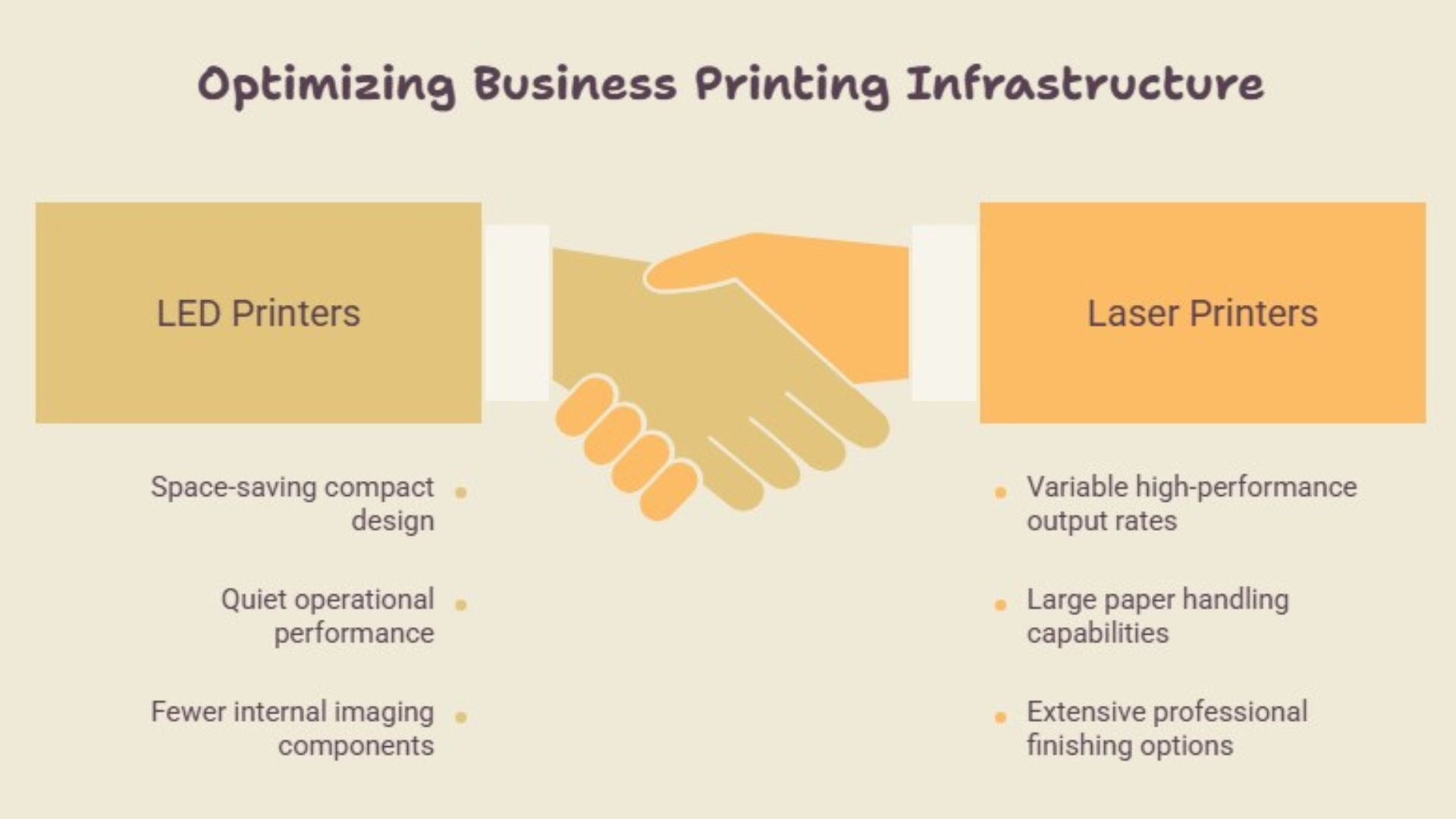
- Choose an LED model when compact size, quieter operation, and fewer moving imaging parts matter.
- Choose a laser model when your business needs a wider choice of speeds, paper capacities, finishing tools, and service options.
- For a small business, compare toner yield, duplex printing, network access, first-page speed, and recommended monthly volume across both technologies.
- For color printing, review sample pages, color registration, paper support, and toner expenses for the specific LED and laser models.
- For a growing office, compare scanning speed, security, paper capacity, uptime, and repair coverage.
- For high-volume use, check duty cycle, recommended volume, replacement parts, and local technician access.
The best printer is the one your team can afford to operate and support for years.
What Should You Compare Before Buying, Leasing, or Subscribing?
Before you buy, lease, or subscribe, compare the complete ownership package. A low equipment price can look attractive at first and become expensive once supplies and support enter the picture. This is especially important for businesses that want to preserve working capital.
Here are the items we would check in every quote.
- Monthly monochrome and color volume
- Recommended volume and maximum duty cycle
- Toner yield and estimated cost per page
- Drum, fuser, belt, and waste-container replacement
- Print speed and first-page-out time
- Resolution and physical print samples
- Paper sizes, weights, capacity, and finishing
- Scanning, copying, cloud, and mobile tools
- Installation and employee training
- Warranty, repairs, response time, and parts
- Contract length, upgrades, fees, and included supplies
Some laser printer deals leave toner or service outside the advertised price. A laser printer rental may work better for a temporary need, while a laser printer subscription can make monthly costs easier to plan. Read the contract closely and ask what happens when volume rises.
How Can eCopier Solutions Help You Choose the Right Equipment?
At eCopier Solutions, we can help you match the right office equipment to your print volume, color needs, scanning workload, paper handling, space, security, and budget. That gives you a clearer decision than a technical comparison alone.
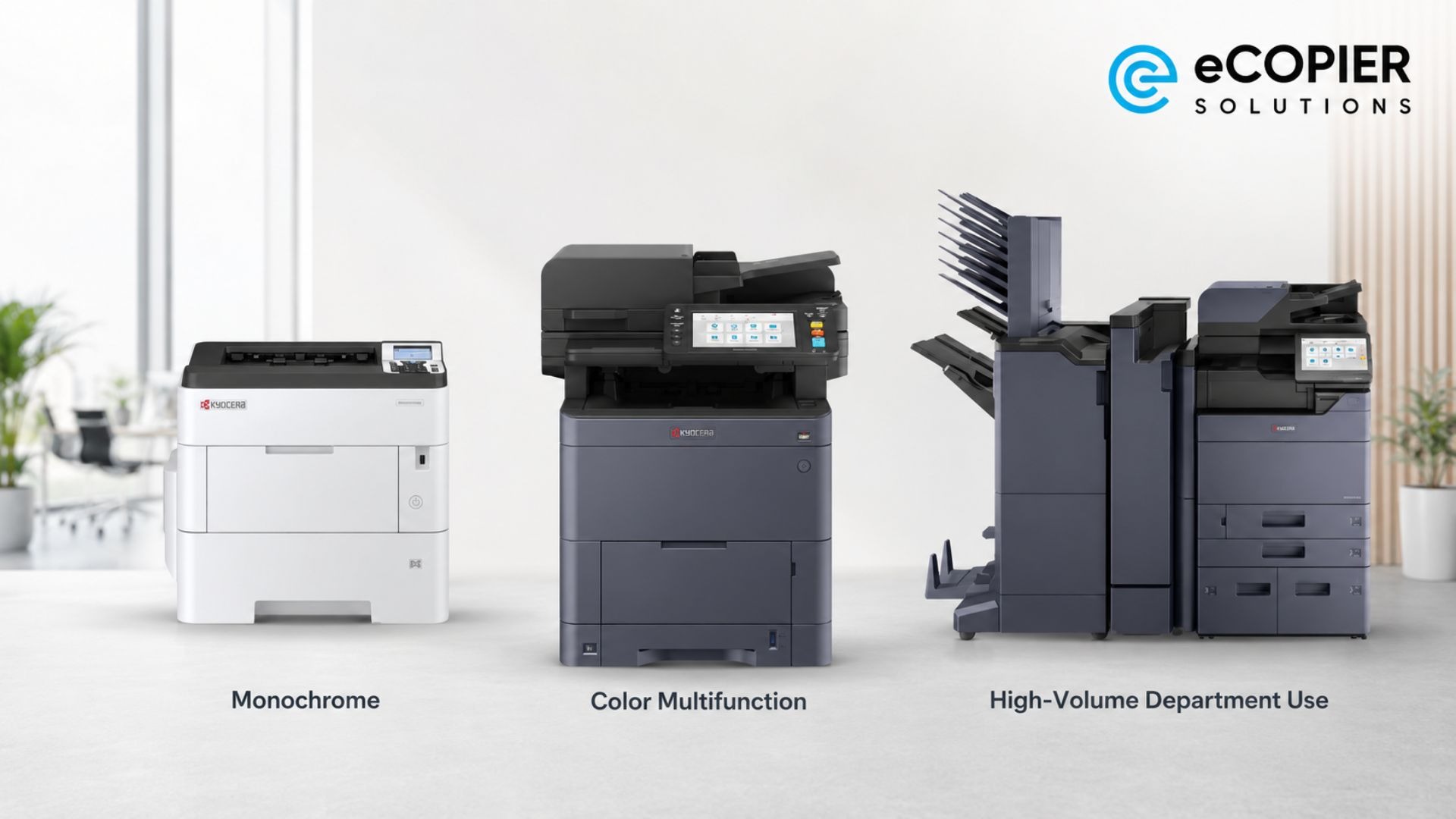
For fast monochrome document work, we may recommend the Kyocera ECOSYS PA5500x. The TASKalfa MA4500Ci can support shared color printing and multifunction workflows. Larger departments may need the speed and scanning capacity of equipment such as the TASKalfa MZ6001i.
Our office printer and copier leasing support also includes toner, installation, remote management, repairs, replacement parts, and ongoing service. Our laser printer services help you manage the full ownership experience, while professional laser printer maintenance can reduce avoidable downtime.
This can be especially useful when you want dependable equipment with less capital tied up at the start.




.webp)

.png)