A replacement message appears on the printer, and suddenly the terminology gets messy. Toner, toner cartridges, ink cartridges, and drums all belong to the same world of printer supplies, yet each one has a different job. That is why a printer toner vs. cartridge search often starts with a simple replacement problem.
Today, we’ll clear up those terms first, then explain what each printer uses and how to choose the right supply.
Toner vs. Cartridge: The Difference You Need to Know About
Toner and cartridges describe different things. Toner is the material a laser printer uses to create the printed image, while a cartridge is a replaceable component that stores and delivers printing material.
A toner cartridge contains toner, while an ink cartridge contains liquid ink. That toner vs. cartridge difference clears up much of the confusion when it is time to order a replacement.
Here are the basic terms side by side:
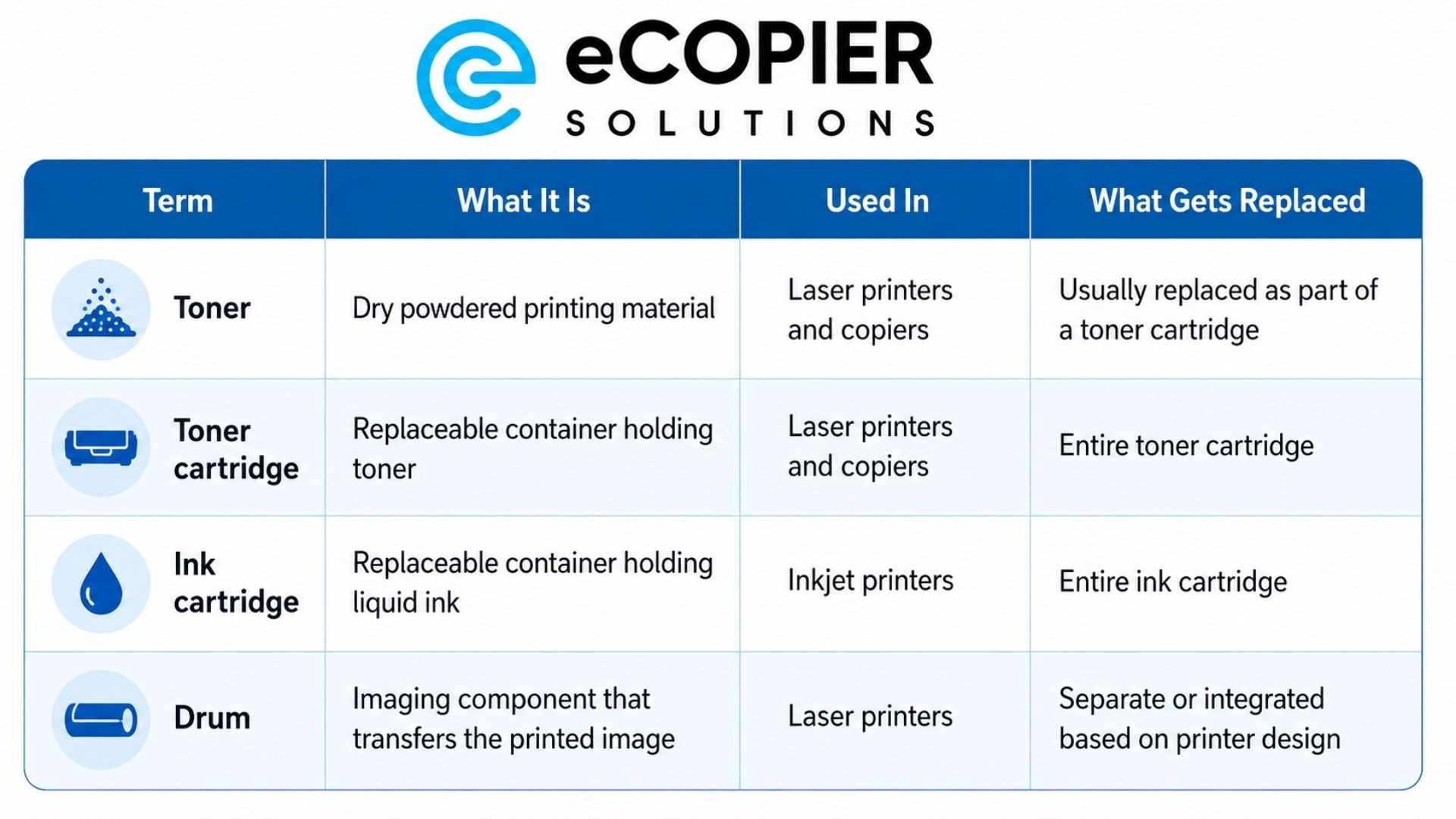
These parts work together during printing, so their names can start to blur together. We find it easier to separate them by what each part actually does. Here are the distinctions that matter most.
Toner Is the Printing Material
Toner is a fine, dry powder used in laser printers and many office copiers. The printer places the powder through an electrostatic imaging process and then uses heat to fuse it onto the paper.
We usually think of toner as the consumable material itself. The cartridge is the hardware that stores that material and supplies it to the machine.
A Cartridge Is the Replaceable Container
Cartridge is a broader printer-supply term because a cartridge can hold toner or liquid ink. Laser printers use toner cartridges, while inkjet printers use ink cartridges.
So the difference between toner and cartridge is similar to the difference between a material and the container that holds it. They work together, though they describe separate parts of the printing process.
A Toner Cartridge Brings the Two Together
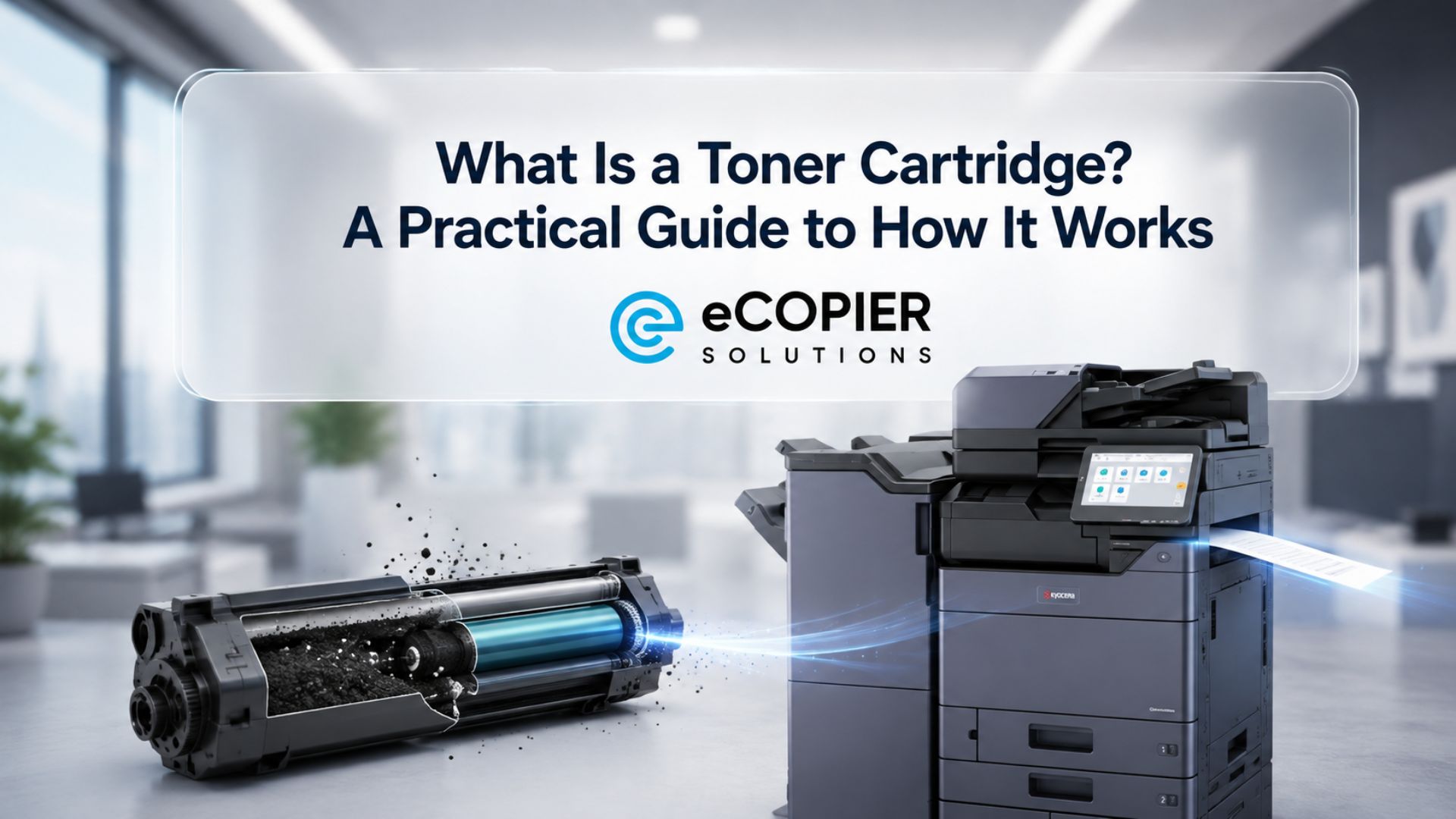
A toner cartridge is the replaceable unit that stores toner and supplies it to a laser printer or copier. Some machines keep the drum and other imaging components separate, while other designs combine more components into one replaceable unit. For that reason, cartridge design can vary quite a bit between printer models.
Pro tip: If you want a closer look at the components involved, our other guide explains how toner cartridges work.
Where the Drum Fits Into a Laser Printer
The drum is another laser-printer component, and it is one reason the terminology gets confusing. The toner cartridge supplies the powder, while the drum helps transfer the toner image that eventually reaches the paper.
Some printers combine the drum and toner system into one replaceable unit. Others have a separate drum that lasts through several toner replacements. So a cartridge vs. toner comparison can leave out an important third part of the system.
If print quality fades, streaks appear, or the printer displays a drum warning, another toner cartridge may not fix the issue. We recommend checking the exact printer alert and its documentation before ordering another supply.
Is Toner Better Than Ink?
Toner is usually the better choice for offices that print documents regularly and in higher volumes, while ink can make more sense for lighter printing or photo-focused use.
For the business environments we work with at eCopier Solutions, toner-based laser equipment is usually a practical fit because offices usually care about document volume, speed, reliability, and predictable supply needs.
Speed is one useful example. Consumer Reports says current laser printers can produce as many as 25 monochrome text pages per minute, which is generally faster than conventional home inkjet printers. That difference starts to matter when several employees depend on one shared device throughout the workday.
Here are the main factors we would compare:
- Higher-volume document printing: Laser systems with toner work well for repeated text-heavy office printing and larger print runs.
- Printing speed: Toner-based laser devices often suit shared office environments where employees need pages quickly.
- Running costs: Toner cartridges can have a higher upfront price, while their page yields can produce an attractive cost per page over time.
- Storage and occasional downtime: Dry toner avoids the nozzle-drying issue associated with liquid ink.
- Photos and specialty color work: Inkjet printers can still be a strong choice when detailed photo output is the main priority.
So the better technology depends on what you print and how frequently you print it. Toner tends to fit business document workflows particularly well. For a closer look at the technology behind that process, read our guide to how laser printers use toner.
Cost Per Page, Yield, and Replacement Frequency
The price on the cartridge box tells only part of the story. For a business, we would also look at rated page yield, monthly print volume, replacement frequency, and the actual cost of each printed page.
Higher-capacity toner cartridges can reduce how often staff need to order supplies and stop to replace them. Published yield figures are still estimates, though, because page coverage, document type, and print settings affect how many pages a cartridge actually produces.
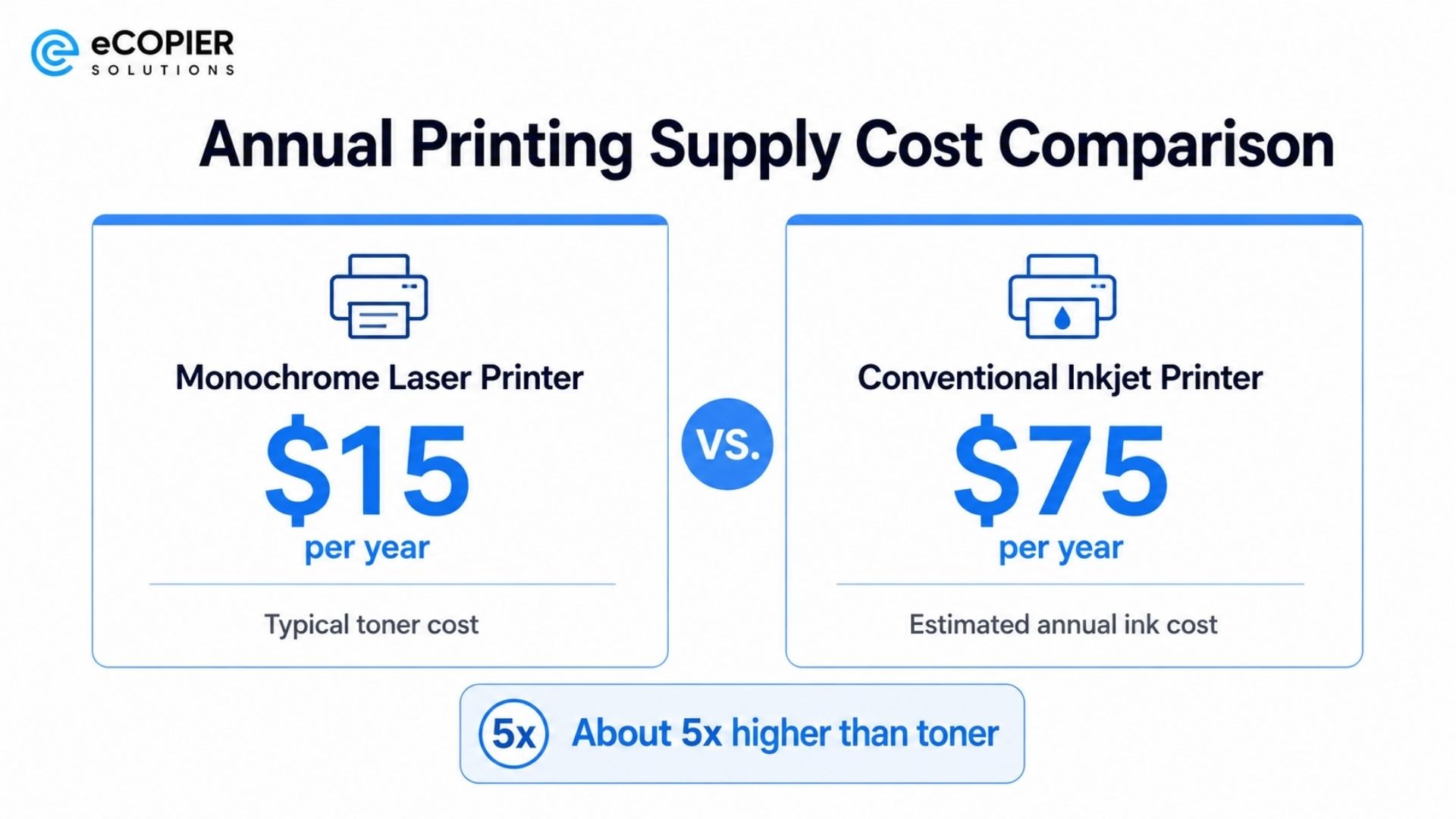
Consumer Reports estimates that toner for a typical monochrome laser printer costs about $15 per year. Its estimate for a conventional inkjet is roughly $75 per year, or about five times as much. That example shows why ongoing supply costs deserve attention, although the actual cost will vary by printer and workload.
Pro tip: If costs are driving the decision, our guide to toner vs ink costs looks more closely at the numbers.
How Do You Know Which Cartridge Your Printer Needs?
The safest way to find the correct cartridge is to match the supply to the exact printer model and the manufacturer’s supported cartridge specifications. A few minutes of checking here can save you from ordering a cartridge that cannot work with your machine.
For toner and cartridge selection, these are the details we would check first:
- Check the exact printer or copier model: Similar-looking machines can use different cartridges.
- Confirm whether the machine is laser or inkjet: Laser systems use toner cartridges, while inkjets use ink cartridges.
- Check the cartridge number or part number: Match it with the machine documentation or the cartridge already installed.
- Compare standard and high-yield options: Higher-yield cartridges can make sense for offices that print frequently.
- Check whether the drum is separate: A drum replacement alert points to a different component than a toner alert.
- Consider monthly print volume: Frequent cartridge changes can indicate that the office needs a higher-capacity device or supply setup.
We would also avoid choosing a cartridge based on appearance alone. Compatibility comes down to the printer model, cartridge specification, and the way that particular machine is designed.
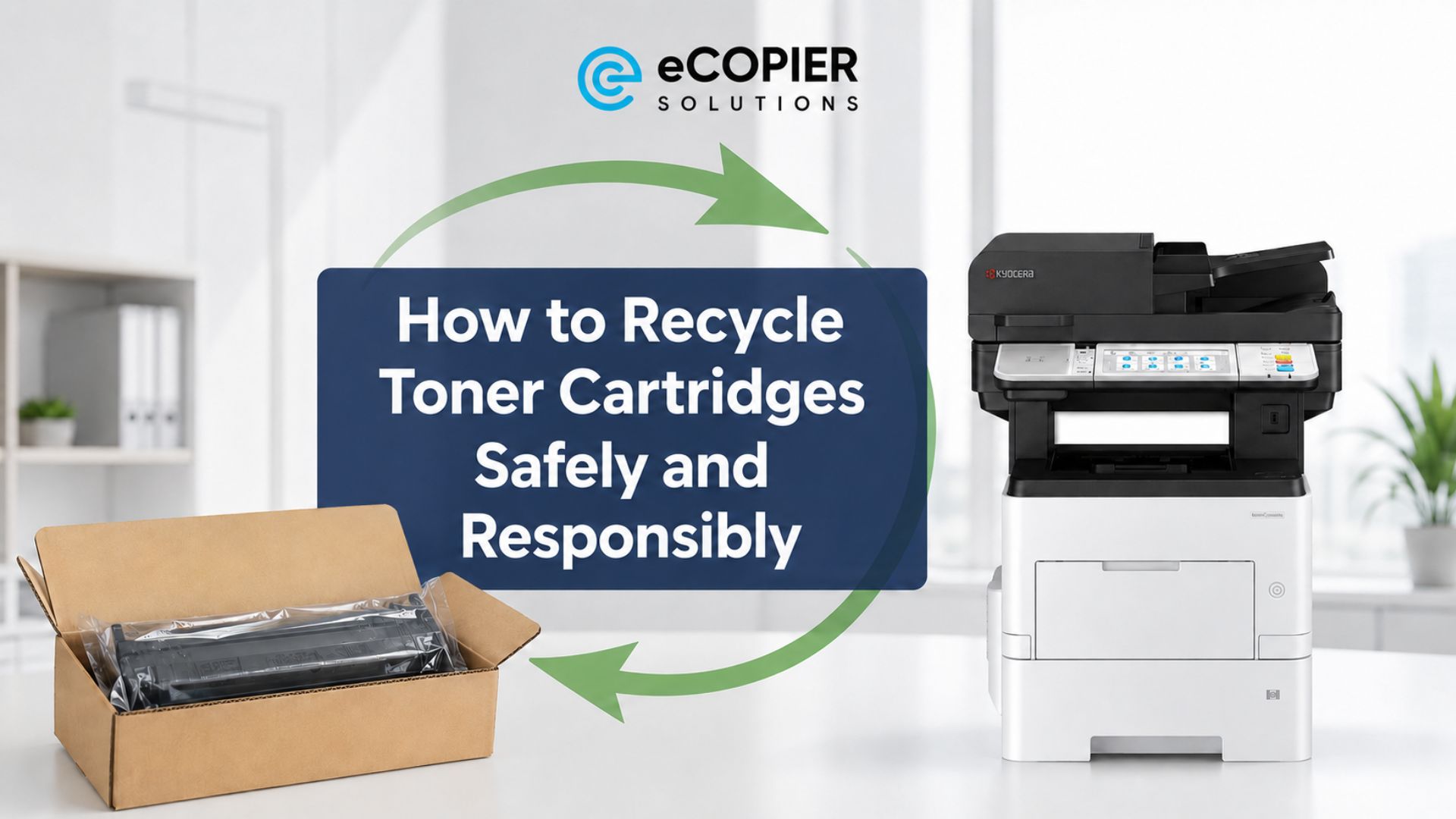
Toner and Cartridge Recycling
Used toner and ink cartridges are best handled through an appropriate recycling or manufacturer return program when one is available. Cartridges contain plastic, metal, and other recoverable components, and residual toner or ink may remain inside after removal.
Here are a few simple habits that make the process cleaner and easier:
- Keep the used cartridge intact.
- Place it inside the replacement cartridge’s packaging when possible.
- Check the manufacturer, supplier, or local recycling program for accepted cartridge types.
- Avoid opening, burning, or deliberately emptying residual toner.
We recommend keeping the old cartridge contained until you know where it is going. This reduces spills and helps keep the unit intact for a return or recycling program.
How eCopier Solutions Can Simplify Toner and Printer Management
Once an office prints regularly, toner becomes one part of a larger workload. Someone still has to manage the printer or copier, replenish supplies, coordinate maintenance, handle setup and shipping, arrange service, and keep downtime under control.
That is where eCopier Solutions can help. Businesses can use our copier and printer leasing with toner included to bring equipment, toner, maintenance, setup, shipping, and ongoing support together through eligible leasing solutions.
For offices with steady document-printing needs, this can make supply management far more predictable and reduce the repeated work of shopping for toner whenever a cartridge runs low.
If your team replaces cartridges frequently, take a look at your monthly print volume and current equipment capacity. Then speak with eCopier Solutions about a setup that better matches the way your office actually prints.




.webp)

.png)